10 LinkedIn Profile Tips That Actually Get You Noticed in 2026
Most LinkedIn advice recycles the same vague tips from 2019. Here's what actually moves the needle now: specific formulas, real strategies, and a system to keep your profile working for you while you focus on your career.
Why Your LinkedIn Profile Matters More Than Ever
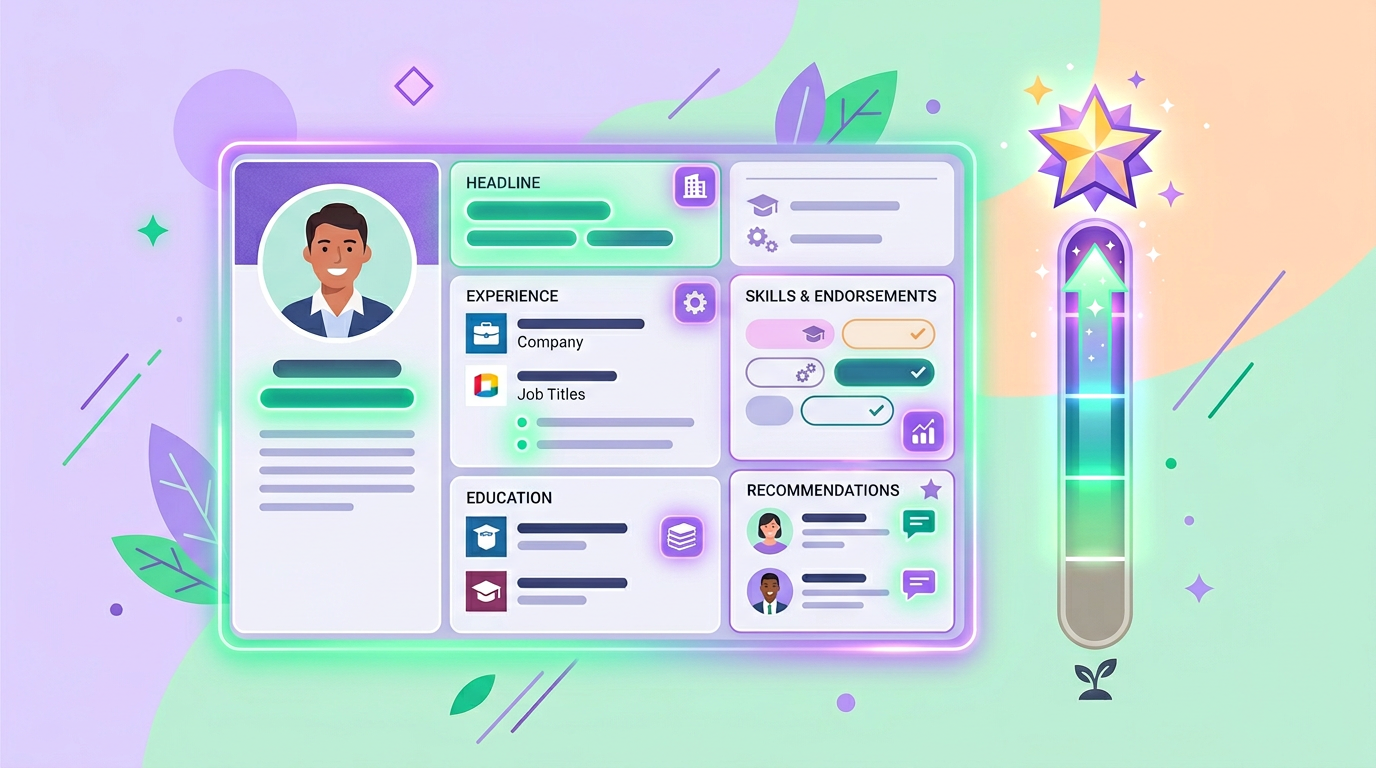
LinkedIn crossed 1 billion members, and that milestone changed the game. Recruiters now receive hundreds of inbound applications per role, which means they rely heavily on LinkedIn's search algorithm to find candidates rather than scrolling through resumes. Your profile isn't a digital resume anymore. It's a search-optimized landing page, and every section either helps you get found or buries you under a billion other professionals.
The good news? Most people still treat their profile like a static document they update once a year. A few targeted changes can put you ahead of 90% of profiles in your field. Here are ten tips that work right now.
1. Rewrite Your Headline Using the Role-Specialty-Value Formula
Your headline is the single most important line on your profile. It appears in search results, connection requests, comments you leave on posts, and every message you send. LinkedIn gives you 220 characters; most people waste them on a job title.
Use this formula instead: [Role] | [Specialty] | [Value Proposition].
For example: "Senior Product Designer | B2B SaaS & Design Systems | Helping teams ship accessible interfaces 2x faster." This headline tells a recruiter exactly what you do, where you do it best, and why they should care. It also packs in keywords that LinkedIn's search algorithm indexes.
Avoid buzzwords like "passionate," "guru," or "ninja." They take up character space and return zero search results.
2. Craft Your About Section in First Person, Three Paragraphs
The About section is your pitch. Write it in first person because third person reads like a press release nobody asked for.
Paragraph one: Open with who you are professionally and what drives your work. Be specific. "I build payment infrastructure for fintech startups across the Middle East" is infinitely better than "I am a results-oriented professional."
Paragraph two: Share the arc of your career. What problems have you solved? What transitions have you made? This is where you show range and depth. If you've shifted industries, own it; career pivots signal adaptability.
Paragraph three: Close with what you're looking for or what you offer. If you're open to opportunities, say so directly. If you're building something, invite people to connect. End with a clear next step.
Your About section should read like a conversation with a smart colleague at a conference, not like the opening paragraph of a cover letter.
3. Use the Featured Section to Pin Your Best Work
The Featured section sits right below your About and above your activity feed. It's prime real estate, yet most profiles leave it empty.
Pin three to five pieces that demonstrate your expertise: a case study, a presentation, a published article, a portfolio link, or a project summary. If you've built a Tadween portfolio, link it here so visitors can see a richer, more complete picture of your work beyond what LinkedIn allows.
Order matters. LinkedIn displays items left to right, and most visitors only click the first one or two. Lead with your strongest piece.
4. Describe Experience as Achievements, Not Responsibilities

Your LinkedIn profile is just one piece of your professional presence
"Managed a team of 12 engineers" tells a recruiter what you were assigned. "Led a 12-person engineering team that reduced API response times by 40%, saving $200K in annual infrastructure costs" tells them what you delivered.
For every role, aim for two to four bullet points that follow this structure: Action + Scope + Measurable Result. If you can't quantify a result, describe the outcome qualitatively: "Redesigned the onboarding flow, which became the template adopted by three other product teams."
Strip out generic responsibilities like "attended meetings" or "collaborated cross-functionally." Every professional does those things. Focus on what made your contribution distinct.
5. Treat Skills Endorsements as a Search Ranking Tool
LinkedIn's algorithm uses your listed skills to rank your profile in recruiter searches. This isn't speculation; LinkedIn's own documentation confirms that skills are a primary search filter.
List up to 50 skills, but prioritize the top five. These appear prominently on your profile and carry the most weight. Choose skills that match the job titles you're targeting. If you want to appear in searches for "data engineering," that exact phrase needs to be in your skills list.
Endorsements from connections add social proof and boost your ranking for those skills. Don't be shy about asking colleagues to endorse the skills that matter most to your career goals.
6. Upgrade Your Profile Photo
Profiles with photos get 21x more views and 9x more connection requests than those without. Your photo doesn't need to be a professional headshot from a studio, but it does need to meet a few standards.
Use a recent photo where your face takes up about 60% of the frame. Choose a clean, uncluttered background. Wear what you'd wear to work. Smile naturally. Avoid group photos, vacation shots, or heavily filtered images.
Lighting matters more than camera quality. Natural light from a window produces better results than most artificial setups. Face the light source so your features are clearly visible.
7. Design Your Banner to Reinforce Your Brand
The banner image (1584 x 396 pixels) is the largest visual element on your profile, yet most people leave the default blue gradient. This is a missed opportunity.
Use your banner to communicate what you do. A simple design with your specialty, a tagline, or your portfolio URL works well. Tools like Canva offer LinkedIn banner templates that take five minutes to customize. If you have a Tadween portfolio, consider featuring its URL in your banner so visitors know where to see your full career story.
8. Get Strategic About Recommendations
Three thoughtful recommendations outweigh fifteen generic ones. The best recommendations come from people who can speak to specific projects, results, or qualities.
When requesting a recommendation, make it easy for the person. Tell them which project or skill you'd like them to highlight. "Could you write a few lines about the product launch we worked on together in Q3?" yields far better results than "Can you recommend me on LinkedIn?"
Aim for recommendations from different perspectives: a manager, a peer, and a client or stakeholder. This gives recruiters a three-dimensional view of how you work.
9. Know When to Use Creator Mode
Creator mode changes your profile's layout: it moves your Featured and Activity sections above your About, adds a "Follow" button instead of "Connect," and lets you add topic hashtags to your profile.
Turn it on if you regularly publish posts, articles, or newsletters on LinkedIn and want to grow an audience. It signals to the algorithm that you're an active content creator, which can increase the reach of your posts.
Leave it off if you're primarily using LinkedIn for job searching or networking. The "Follow" button adds friction for people who want to connect with you directly, and the layout change de-emphasizes your work experience.
10. Align Your LinkedIn with Your Tadween Portfolio
LinkedIn is powerful, but it has limitations. You can't fully customize your layout, you can't present different versions of yourself for different career paths, and your content lives on someone else's platform.
That's where Tadween fills the gap. Build a portfolio that showcases your work in both English and Arabic, organize it by career direction, and use AI to generate tailored job profiles and cover letters from your career data. Then link your Tadween portfolio from your LinkedIn Featured section, About section, and banner.
This creates a two-layer system: LinkedIn gets you found, and Tadween tells your full story. Recruiters who click through see a polished, personalized presentation that goes far beyond what a LinkedIn profile can offer.
Your Next Step
You don't need to overhaul everything at once. Start with your headline and About section today. Those two changes alone will improve how you appear in search results and how visitors perceive you within the first ten seconds.
Then, set aside 30 minutes this week to update your experience bullets and request two recommendations. Small, consistent improvements compound over time.
If you want to take it further, create a free Tadween account and build a portfolio that works alongside your LinkedIn presence. Your career deserves more than a single platform can offer.
Build the Portfolio LinkedIn Can't Give You
Create a bilingual career portfolio with AI-powered job profiles, cover letters, and more. Free credits to start, no credit card required.