
AI Resume Screening: What Job Seekers Need to Know in 2026
Most advice about beating AI screening is wrong. Here is what actually happens to your resume, what causes real rejections, and how to optimize without gaming the system.

Roughly 75% of resumes are rejected before a human recruiter reads a single line. That statistic has circulated for years, and it has spawned an entire cottage industry of ATS optimization services, keyword-stuffing guides, and resume scanning tools that promise to crack the code. The problem? Most of that advice is built on a misunderstanding of how modern hiring technology actually works.
If you have ever been told to hide white-text keywords in your resume, mirror the exact phrasing from a job posting word-for-word, or strip all formatting to plain text, you have received advice that was either outdated or wrong to begin with. The screening systems used by employers in 2026 are more sophisticated than the keyword-matching engines of a decade ago, but they are also more predictable once you understand what they are actually looking for.
This guide breaks down the real mechanics of AI resume screening: what the technology does, where resumes actually fail, and how to present your experience in a way that works for both algorithms and the humans behind them.
How AI Resume Screening Actually Works
There are three distinct layers in modern resume screening, and conflating them is the first mistake most job seekers make.
Layer 1: Parsing
Before anything is evaluated, your resume is parsed. The system extracts structured data from your document: your name, contact information, job titles, company names, dates, education, and skills. Think of this as the system converting your beautifully formatted PDF into a database record. If the parser cannot figure out where your job title ends and your company name begins, that information is either lost or misassigned.
Parsing is not evaluation. It is data extraction. But if it fails, everything downstream fails too. This is where formatting matters enormously, and we will get into the specific mistakes that cause parsing failures shortly.
Layer 2: Keyword and Criteria Matching
Once your data is parsed, the system checks it against the requirements of the role. In simpler systems, this is straightforward pattern matching: does the resume contain "Python"? Does it list "5 years" of experience? Is there a degree in "Computer Science"?
More advanced systems use semantic matching, which means they understand that "machine learning" and "ML" are the same thing, or that "managed a team of 12" implies leadership experience even if the word "leadership" never appears. The sophistication varies enormously by vendor: Workday's system behaves differently from Greenhouse, which behaves differently from SAP SuccessFactors.
Layer 3: AI Scoring and Ranking
This is the newest layer, and it is the one generating the most anxiety. Some enterprise hiring platforms now use machine learning models to score and rank candidates beyond simple criteria matching. These models analyze patterns like career progression, relevance of experience to the role, achievement density, and even writing quality.
The critical insight: most rejections happen at Layer 1 and Layer 2, not Layer 3. Your resume is far more likely to be eliminated because of a parsing failure or a missing keyword than because an AI model decided your career trajectory was suboptimal.
ATS Parsing vs. AI Screening: The Difference That Matters
When people say "ATS" they usually mean everything: the parsing, the matching, the scoring. But these are distinct systems, often built by different vendors, and understanding the difference changes how you optimize.
An Applicant Tracking System (ATS) is fundamentally a database. It stores applications, tracks candidates through hiring stages, and provides search and filter functionality for recruiters. The parsing engine is a component of the ATS. Companies like Workday, Greenhouse, Lever, and iCIMS each have their own parsing logic, and they each handle formatting differently.
AI screening is an additional layer that sits on top of the ATS. Vendors like HireVue, Pymetrics, or built-in tools from larger ATS providers add predictive analytics, candidate ranking, and sometimes bias-detection checks. Not every company uses this layer. In fact, most small and mid-sized companies rely purely on the ATS parsing plus manual recruiter review.
Why does this distinction matter? Because the optimization strategies are different:
- For ATS parsing: focus on formatting, structure, and clear labeling of sections. The goal is accurate data extraction.
- For keyword matching: ensure your resume includes the relevant skills, tools, and qualifications mentioned in the role. Use natural language rather than isolated keywords.
- For AI scoring: focus on achievement-oriented writing, quantified impact, and clear career narratives. The model is evaluating substance, not just keywords.
Most job seekers optimize exclusively for keywords and ignore parsing entirely. That is like studying for the final exam while forgetting to register for the course.
What Actually Gets Your Resume Rejected
Let us be specific. Here are the real causes of automated rejection, ranked roughly by how often they occur.
1. Parsing Failures from Formatting
This is the silent killer. Your resume looks perfect in your PDF viewer, but the parser sees gibberish. Common causes:
- Tables and multi-column layouts. Many parsers read content left-to-right, top-to-bottom. A two-column layout can result in the parser interleaving text from both columns, producing nonsensical output like "Senior Software Engineer 5 years experience Python managed a team" all mashed together.
- Headers and footers. Text in document headers or footers is often stripped entirely. If your name and contact information live in the header, the system may not extract them.
- Graphics and text boxes. Any text inside an image, a text box, or a graphic element is invisible to most parsers. Those beautiful infographic resumes with skill bars and pie charts? The parser sees a blank document.
- Unusual fonts or encoding. Decorative fonts can cause character extraction errors. A fancy ligature for "fi" might be extracted as a missing character, turning "profile" into "pro le."
- Embedded charts or icons. Star ratings for skills, progress bars, and custom icons add nothing to parsing and frequently cause extraction to fail for the surrounding text.
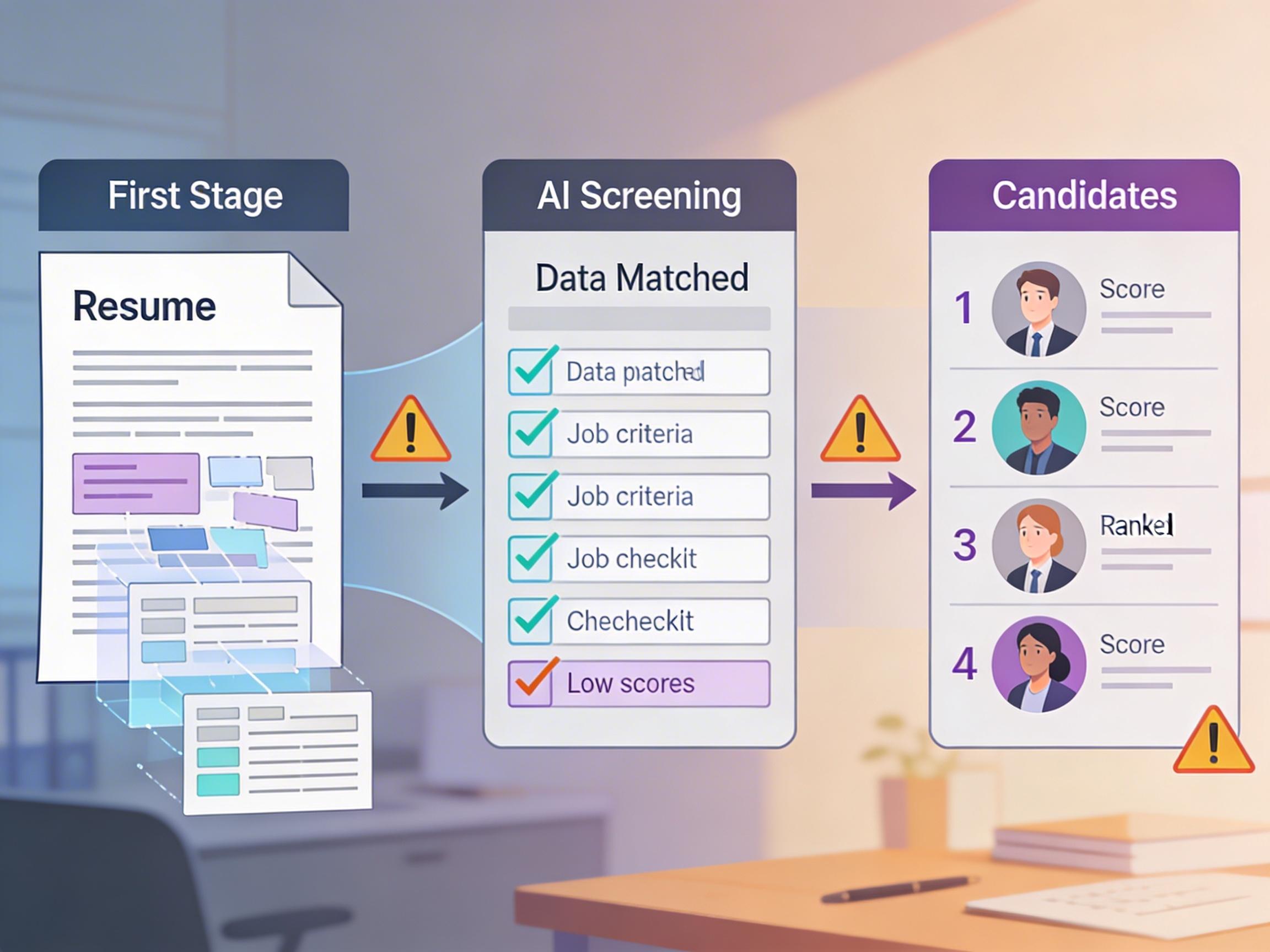
The three stages of AI resume screening. Most rejections occur during parsing and matching, not at the AI scoring stage.
2. Missing Qualifications
If a role requires a specific certification, degree, or years of experience, and those are listed as hard requirements (not preferred), the system will filter you out if it cannot find them. This is straightforward, but candidates miss it when they bury qualifications in unexpected places or use abbreviations the system does not recognize.
For example: listing "PMP" without ever spelling out "Project Management Professional" may work for some systems but fail on others. The safest approach is to include both the abbreviation and the full term at least once.
3. Job Title Mismatches
If the role is "Product Manager" and your most recent title is "Strategy Lead, Product Innovation," a simple keyword system will not see a match. Semantic matching helps here, but not all systems are equally sophisticated. Where possible, include industry-standard job titles alongside creative internal titles.
4. Lack of Quantified Achievements
AI scoring models increasingly weight achievement-oriented language. "Responsible for managing projects" reads differently to these systems than "Led 14 cross-functional projects that delivered $2.3M in cost savings." The second version signals specificity, impact, and seniority. The first signals a job description copy-paste.
5. Gaps Without Context
Modern screening tools flag unexplained gaps in employment. A two-year gap between roles, with no education, freelance work, or explanation, can lower your ranking. This does not mean you must account for every month, but major gaps (six months or more) benefit from brief context in your resume.
Formatting Mistakes That Confuse Parsers
Let us go deeper on the formatting issue, because it is the most fixable problem and the one most candidates ignore.
The safe formatting stack:
- Single-column layout. Yes, it looks less creative. But it parses cleanly across every major ATS.
- Standard section headers. Use "Work Experience," "Education," "Skills," and "Summary" or "Professional Summary." Creative headers like "Where I've Made an Impact" confuse parsers that rely on section detection.
- Simple bullet points. Standard round bullets or hyphens. Not custom symbols, not checkmarks, not arrows.
- No images, icons, or graphics. Zero. Not your photo, not skill bars, not logos.
- Standard fonts. Arial, Calibri, Times New Roman, or any widely-used font. Avoid decorative or custom fonts.
- Submit as PDF (unless told otherwise). PDFs preserve formatting better than .docx in most parsers. However, some older ATS specifically request .docx. Follow the instructions.
The best resume format is the one that transmits your information accurately to the system reading it. Visual beauty matters only after the parser has done its job.
How to Optimize Without Keyword-Stuffing
Keyword-stuffing is the resume equivalent of SEO spam from 2008. It does not work, and when detected (and modern systems do detect it), it actively hurts your candidacy. White-text keyword blocks, invisible text, and repeating the same terms dozens of times are all detectable patterns that flag resumes for rejection or manual review.
Here is what works instead:
Write in context, not in lists
Instead of dumping a wall of skills at the bottom of your resume, integrate them naturally into your experience descriptions. "Built and deployed machine learning models using Python and TensorFlow to automate fraud detection" is both more readable and more parseable than a separate line that just says "Python, TensorFlow, ML."
Mirror the language of the role, naturally
Read the job description carefully. If it says "stakeholder management," use that phrase somewhere in your experience. Not ten times, but once or twice where it is genuinely relevant. The goal is alignment, not repetition.
Lead with achievements, not duties
Every bullet under a role should answer: what did you do, and what was the result? "Managed social media" tells the system nothing about your impact. "Grew social media engagement by 140% over 8 months, contributing to a 23% increase in qualified leads" tells it everything.
Use both acronyms and full terms
Write "Search Engine Optimization (SEO)" the first time, then use "SEO" afterward. This ensures both the acronym and the spelled-out version are captured during parsing and matching.
Tailor per application
This is the advice nobody wants to hear because it takes time. But submitting the same generic resume to 50 roles is the single biggest reason for low callback rates. Each application should have its experience bullets and summary adjusted to reflect the specific requirements of that role. Not fabricated, adjusted.
Using AI to Write Resumes That Pass AI Screening
There is an irony to the current job market: AI is screening your resume, and AI can also help you write it. The question is whether using AI tools for resume writing is legitimate or whether it creates a race-to-the-bottom where every application sounds the same.
The answer depends entirely on how you use it.
Bad AI usage: pasting a job description into ChatGPT and asking it to generate a resume from scratch. You get generic, templated language that any experienced recruiter (or scoring model) recognizes as AI-generated boilerplate.
Good AI usage: feeding your real career data, your actual achievements, and specific role requirements into a tool that structures and articulates your experience clearly, in a format that parses well and highlights genuine qualifications.
The difference is input quality. An AI tool that knows nothing about your career will produce empty filler. A tool that has your full professional history can help you express what you have actually done in clear, achievement-oriented language that both parsers and humans appreciate.
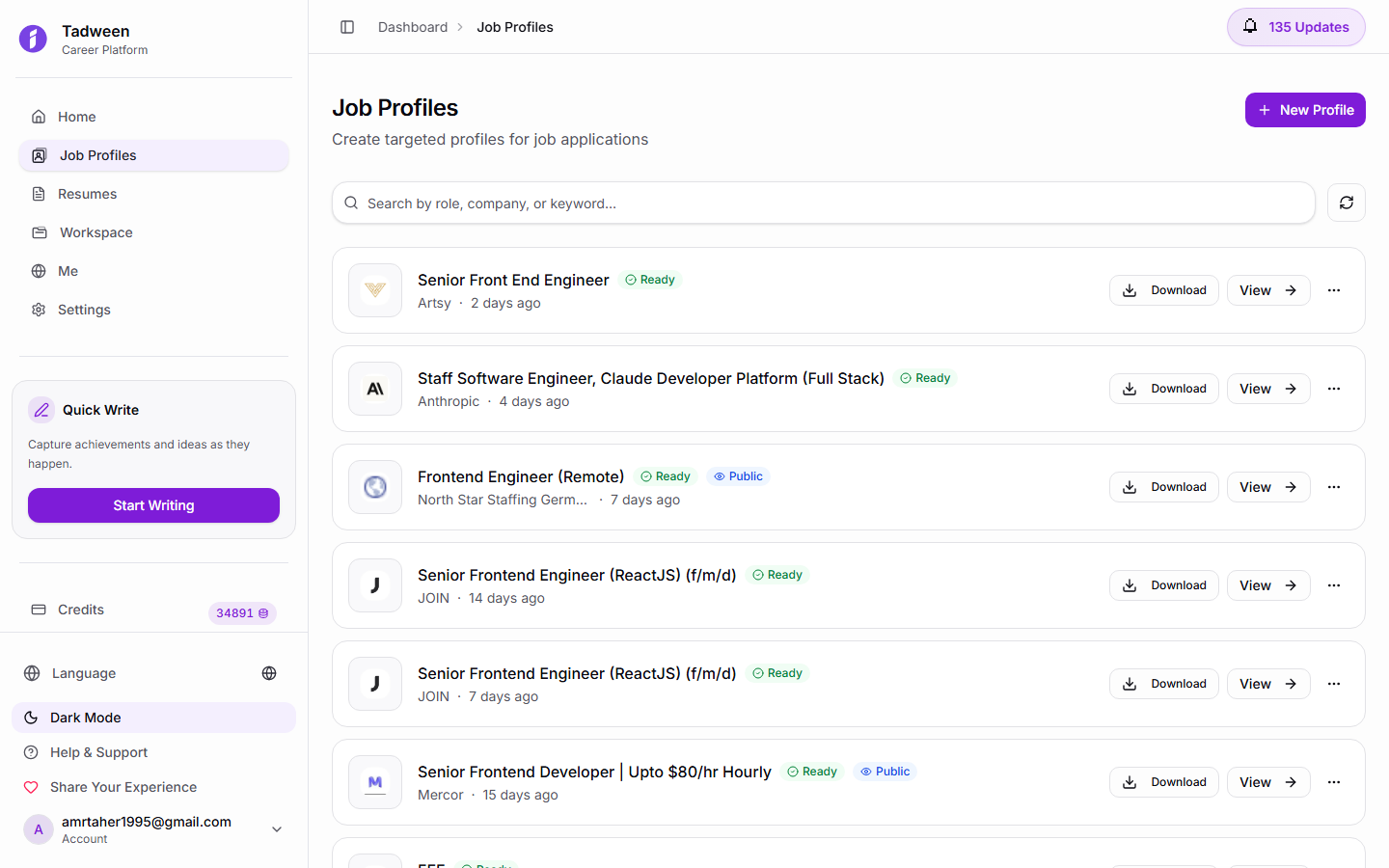
Tadween's job profiles maintain structured, parser-friendly career data that can be exported in ATS-compatible formats.
Should You Try to Opt Out of AI Screening?
Some job seekers try to bypass automated screening entirely: reaching out directly to hiring managers on LinkedIn, asking for referrals, or submitting through back channels. Is this a good strategy?
Honestly, it depends on the company and the role.
For startups and small companies that receive dozens of applications per role, a direct email to the hiring manager can work well. These companies often do not use sophisticated screening tools, and a personal connection matters more than parsing optimization.
For large enterprises that receive thousands of applications per role (think Google, Amazon, Deloitte, Aramco), the ATS is the front door and there is no side entrance. Even referrals typically go through the same system; the referral just adds a flag to your application. You still need a resume that parses correctly and meets the criteria.
The practical strategy is both: optimize your resume for automated screening AND build relationships that create direct opportunities. These are not opposing strategies. They are complementary.
Trying to avoid AI screening is like refusing to learn email because you prefer phone calls. The technology is the infrastructure of modern hiring. Work with it, not around it.
How Tadween Creates ATS-Friendly Profiles
Most resume builders focus on visual design: pretty templates, creative layouts, colorful headers. These look great as screenshots. They often fail catastrophically when fed through a parser.
Tadween takes a different approach. The platform is built around structured career data, not visual templates. When you create a job profile on Tadween, your experience, achievements, skills, and qualifications are stored as structured data first, then rendered into whatever format is needed.
This means:
- Every profile is inherently parser-friendly. Because the data is structured, there are no parsing ambiguities. Job titles, dates, skills, and achievements are clearly labeled and correctly ordered.
- Bilingual support is native. English and Arabic versions are generated simultaneously with proper structure in both languages. No layout hacks, no broken RTL formatting.
- AI generation uses your real data. When Tadween's AI helps write your profile summaries or achievement bullets, it draws from the career information you have already entered. The output is specific to your actual experience, not generic filler.
- Multiple profiles for different roles. You can maintain separate job profiles tailored to different types of roles, each optimized for the specific requirements of that target position, without starting from scratch each time.
The AI cover letter generator extends this approach: each cover letter is generated from your structured profile data and tailored to the specific role, producing output that is both personalized and professionally formatted.
Your public portfolio at tadween.me/u/your-alias gives recruiters a complete, structured view of your career that complements your submitted resume. When a recruiter wants to learn more about you beyond what the ATS shows, a well-organized public profile can be the difference between a callback and silence.
The Bottom Line
AI resume screening is not a black box, and it is not an adversary. It is a set of tools that extract, match, and sometimes score your professional information. The resumes that fail are almost always the ones with preventable problems: formatting that breaks parsers, missing keywords that could have been naturally included, and generic duty descriptions where specific achievements should be.
The fix is not to game the system. It is to present your genuine experience in a clean, structured, achievement-oriented format that both machines and humans can read easily. Get the formatting right. Include the relevant terms naturally. Lead with impact. And if you are applying to dozens of roles, invest in a system that lets you maintain and tailor your career data efficiently rather than editing the same Word document over and over.
Start with a structured profile on Tadween. Free credits to start, no credit card required. Your resume already has everything it needs to pass AI screening; it just needs the right structure to prove it.
Frequently Asked Questions
Common questions about AI resume screening and ATS optimization
Do I need a special resume format to pass ATS screening?
You do not need a special format, but you do need to avoid certain formatting choices. Stick to single-column layouts, standard section headers (Work Experience, Education, Skills), standard fonts, and no graphics or text boxes. A clean, simple format parses correctly across virtually every ATS.
Does keyword-stuffing actually work?
No. Modern screening systems can detect keyword-stuffing patterns such as hidden white text, repeated terms, and unnaturally dense keyword blocks. These patterns can flag your resume for rejection. Instead, include relevant terms naturally within your achievement descriptions and experience context.
Should I submit my resume as PDF or Word?
PDF is generally the safer choice because it preserves formatting consistently. However, some older ATS systems specifically request .docx format. Always follow the application instructions. If no format is specified, PDF is the default recommendation.
Can AI screening tools detect AI-written resumes?
Some advanced systems flag language patterns typical of AI-generated text, such as overly generic phrasing and repetitive sentence structures. The key is to use AI as a drafting tool that works from your real career data, then review and personalize the output. Resumes built from specific achievements and real metrics read authentically regardless of how the first draft was generated.
How does Tadween help with ATS optimization?
Tadween stores your career information as structured data rather than in visual templates. This means your job profiles are inherently parser-friendly, with clearly labeled sections, properly formatted dates, and organized skills. The AI generates content from your actual experience, producing specific achievement-oriented language that both ATS parsers and human recruiters respond to positively.
Are creative or infographic resumes always rejected by ATS?
Not always rejected, but frequently parsed incorrectly. Infographic elements, skill bars, charts, and multi-column layouts cause parsing errors that can misassign or lose your information. If you want a visually creative resume, keep a separate ATS-friendly version for online applications and use the designed version for in-person networking or direct emails.
Build a Resume That Passes AI Screening
Tadween creates structured, ATS-friendly career profiles with AI-powered content built from your real experience. Bilingual support, one-click generation, and proper formatting that parsers actually understand.