
Best Resume Builder for Arabic Speakers in 2026
Most resume builders claim multi-language support. Few actually handle Arabic properly. Here is an honest look at what works, what breaks, and what Arabic-speaking professionals actually need.
The Arabic Resume Problem Nobody Talks About
If you have ever tried building an Arabic resume with a mainstream resume builder, you already know the frustration. Text that flips to the wrong side. Bullet points that break. Dates that render backwards. Section headers that look fine in English but become unreadable in Arabic.
The root of the problem is simple: almost every resume builder on the market was designed for English first and everything else second. Arabic is not just another language you can plug into an English template. It requires right-to-left layout, different typographic rules, and a fundamentally different visual hierarchy. Getting this right takes intentional engineering, not a CSS direction flip.
What Real RTL Support Actually Means
Many platforms advertise "multi-language support" or even list Arabic among their languages. But there is a massive gap between accepting Arabic text input and actually rendering a professional Arabic document. Here is what proper RTL support requires:
Layout direction. Every element on the page needs to flow right-to-left. This includes section ordering, bullet alignment, date positioning, and contact information placement. Simply mirroring the page is not enough because mixed content (Arabic text with English company names or technical terms) needs bidirectional text handling.
Typography. Arabic script is connective. Letters change shape depending on their position in a word. A resume builder needs fonts that handle this correctly at every size, from headings to fine print. Poor font choices create broken letterforms that look unprofessional.
Cultural formatting. Arabic CVs often follow different conventions than Western resumes. In many Gulf countries, including a photo, nationality, marital status, and date of birth is standard. A resume builder that hides these fields or treats them as optional is not serving Arabic-speaking professionals well.
How Popular Resume Builders Handle Arabic
Let us look at the major players and how they actually perform with Arabic content.
Zety, Novoresume, and Kickresume do not support Arabic at all. There are no RTL templates, no Arabic font options, and no way to create a professional Arabic resume. If you paste Arabic text, it renders left-to-right and breaks the layout completely.
Canva lets you type Arabic text into its resume templates, but the templates themselves are designed for LTR languages. You end up manually repositioning every element. There is no automatic RTL layout, no Arabic-specific templates, and no way to generate bilingual documents.
LinkedIn Resume Builder exports your LinkedIn profile as a basic PDF. It does not support Arabic at all, and the output is a generic, unformatted document with no customization options.
Enhancv offers some international support but does not include Arabic or RTL layouts. Its strength is in visual, infographic-style resumes for English-speaking markets.
What Arabic-Speaking Professionals Actually Need
Based on the conventions across the Gulf region (Saudi Arabia, UAE, Qatar, Kuwait, Bahrain, Oman) and the broader Arabic-speaking world, here is what a resume builder should offer:
Bilingual output. Many professionals need both an English and Arabic version of their resume. Ideally, these should share the same data source so updates propagate to both versions automatically.
Gulf CV conventions. Support for photo placement, personal details sections (nationality, visa status, date of birth), and formatting that matches what hiring managers in the region expect.
AI that works in Arabic. If a platform offers AI-powered content generation, it should produce natural, professional Arabic text. Not machine-translated English, but Arabic that reads as if a native speaker wrote it.
Multiple career profiles. Professionals in the Arabic-speaking world frequently hold multiple roles or transition between sectors. A resume builder should manage distinct profiles for each career path.
Tadween: Built for Arabic from Day One
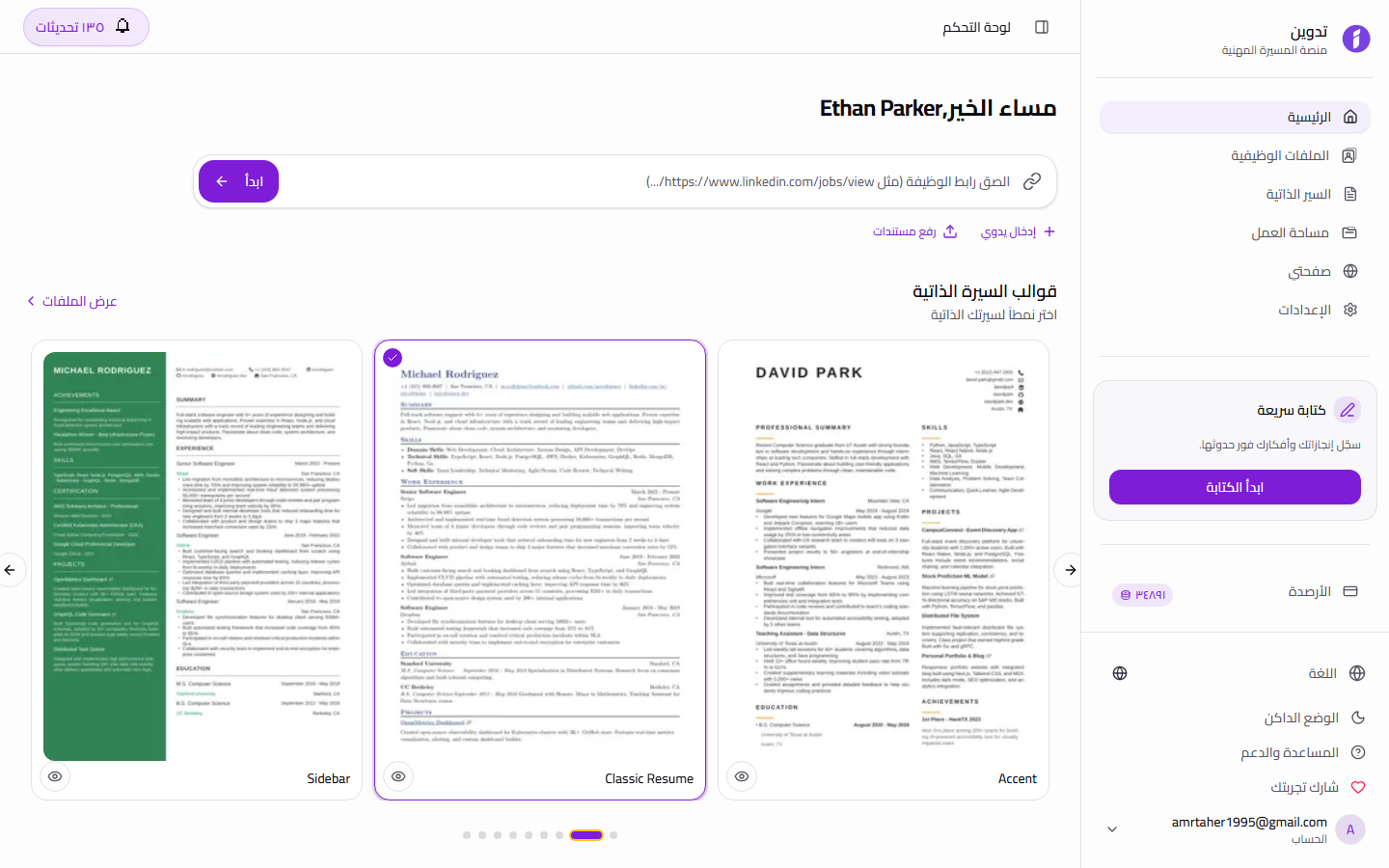
Tadween is a career management platform designed with Arabic and English as equal first-class languages. Every feature, from AI content generation to resume templates to the dashboard interface, works natively in both languages with proper RTL support.
What sets Tadween apart is that Arabic was not added after the fact. The entire platform was architected for bidirectional content from the beginning. This means templates that automatically adjust their layout based on language, AI that generates professional Arabic content without translation artifacts, and a user interface that feels natural whether you are working in English or Arabic.
Beyond language support, Tadween manages your entire career identity. Multiple job profiles, cover letters, promotion documents, and a public portfolio page all live in one place. For professionals who work across multiple roles or industries, this eliminates the scattered-documents problem that plagues single-resume tools.
Practical Tips for Arabic CV Writing
1. Match the language to the employer. If the job posting is in Arabic, submit an Arabic CV. If it is in English, submit English. If the company operates bilingually, consider sending both versions.
2. Include personal details for Gulf roles. Nationality, visa status, and a professional photo are expected in most GCC job applications. Omitting them can signal that you are unfamiliar with local norms.
3. Use formal Arabic (Fusha) for professional content. Avoid dialectal expressions. Your CV should read as polished Modern Standard Arabic, especially in the professional summary and achievement descriptions.
4. Keep technical terms in English when appropriate. Job titles like "Software Engineer" or certifications like "PMP" are often kept in English even in Arabic CVs. This is standard practice and improves readability for hiring managers.
5. Structure achievements with numbers. Quantified results translate across languages. "Increased team productivity by 35%" carries the same weight in Arabic or English and gives hiring managers something concrete to evaluate.
6. Test your document before sending. Open the PDF on multiple devices to verify that Arabic text renders correctly. Broken formatting is the fastest way to get your resume discarded, regardless of your qualifications.
Why Tadween Works for Arabic Speakers
Purpose-built features that mainstream resume builders simply do not offer.
Native RTL Layout
Every template, component, and UI element works natively right-to-left. Not a CSS flip. Proper bidirectional text handling for mixed Arabic-English content.
Arabic AI Generation
AI that produces natural, professional Arabic content. Your summaries, achievements, and cover letters read like a native speaker wrote them.
Bilingual Profiles
Maintain English and Arabic versions of every profile from a single data source. Update once and both versions stay in sync.
Gulf CV Conventions
Support for photo, nationality, visa status, and personal details that Gulf employers expect. Formatting that matches regional hiring norms.
Multi-Career Management
Manage distinct profiles for each career path. Software engineer by day, consultant by evening. Each role gets its own tailored documents.
Professional PDF Export
Export polished Arabic PDFs that render correctly on every device. No broken characters, no misaligned sections, no formatting surprises.
Frequently Asked Questions
Common questions about Arabic resume building
Can I create a resume in both Arabic and English on Tadween?
Yes. Tadween supports full bilingual profiles. You can maintain Arabic and English versions of your job profiles, resumes, and cover letters. Both versions share the same underlying data, so updates to one are reflected in the other.
Does Tadween support Gulf CV formatting conventions?
Yes. Tadween includes support for photo placement, nationality, visa status, date of birth, and other personal details that are standard in GCC job applications. Templates are designed to accommodate these fields naturally.
How does the AI handle Arabic content generation?
Tadween's AI generates native Arabic content, not translated English. It produces professional Modern Standard Arabic (Fusha) suitable for formal documents. You can generate full job profiles, professional summaries, cover letters, and achievement descriptions in Arabic.
Will my Arabic PDF render correctly when I share it?
Yes. Tadween's PDF export engine is built to handle Arabic typography correctly, including connected letterforms, proper line spacing, and bidirectional text. The output looks professional on any device or PDF reader.
Is Tadween free to use?
Tadween offers Free credits to start when you sign up. No credit card is required. Each AI generation uses credits, and you can purchase additional credits as needed. Basic profile management features are available without using credits.
Can I manage multiple career profiles in different languages?
Absolutely. You can create separate job profiles for each career path, each with its own Arabic and English versions. This is especially useful for professionals who work across different industries or hold multiple roles.
Build Your Arabic Resume Today
Join thousands of Arabic-speaking professionals who use Tadween to manage their careers in both English and Arabic. Start with Free credits to start.