
Your experience deservesa place of its own.
Bring your career notes, documents, and achievements together. Give Tadween the context it needs to help create work that reflects the person behind the application.
Start with what you have. Add to it as your career grows.
Career notes
Capture an achievement while the useful details are still fresh.
Documents
Bring the supporting material you already have into your workspace.
A useful foundation
Organize the evidence Tadween uses for your career documents.
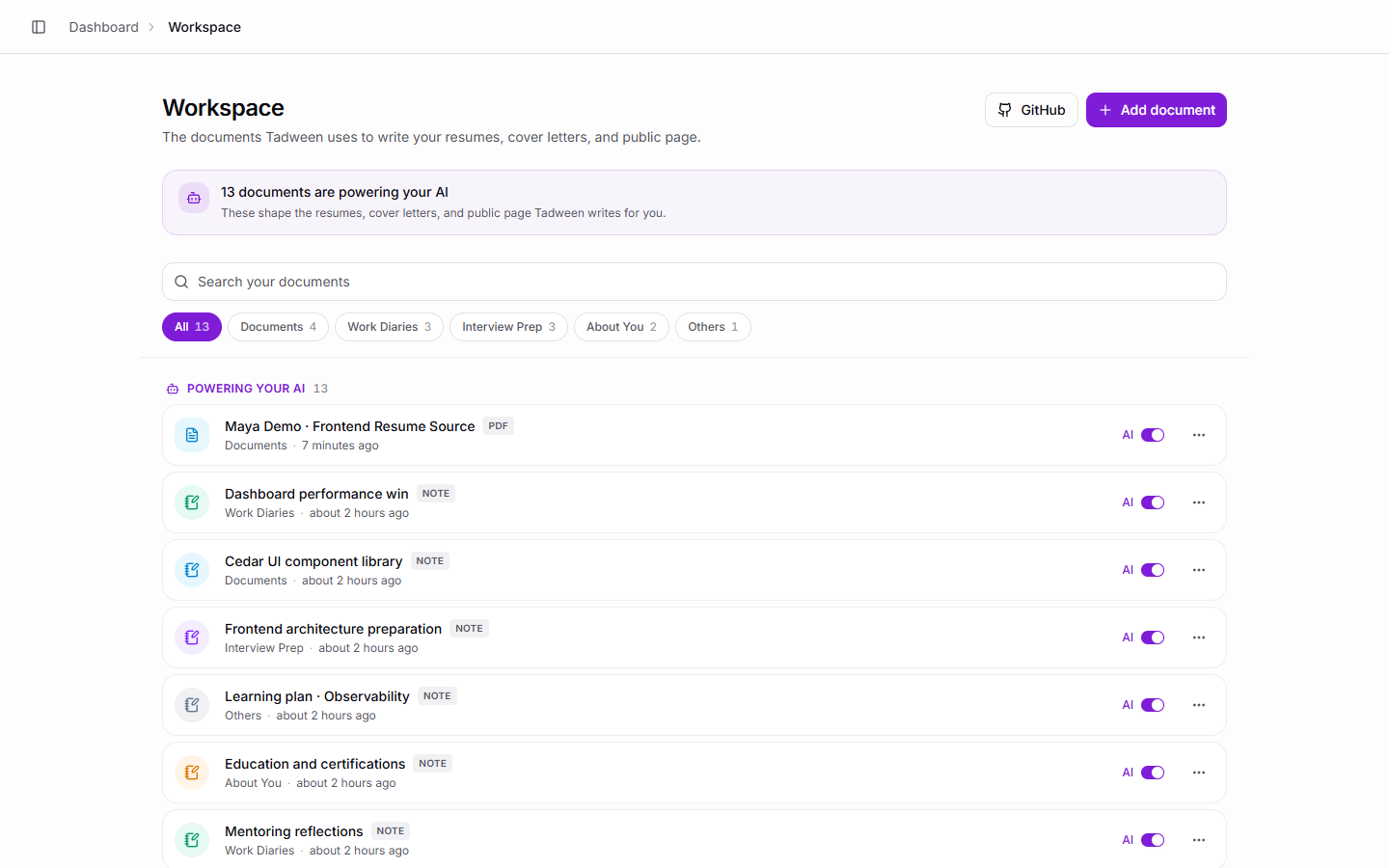
Good context makes the next step easier.
Resumes, cover letters, and a professional profile all start with the same thing: a clear account of your experience. Build that foundation once and keep it growing.
Start small. Build a fuller picture.
- 1
Bring your material
Add documents, import information, or write your first note.
- 2
Keep it organized
Use folders and filters to find the context you need.
- 3
Put it to work
Use your career evidence as the foundation for tailored documents.
A few things you might be wondering
What should I add first?
Start with the career material you already have, such as your current resume, project notes, and descriptions of your achievements. You can add more over time.
Can I write notes directly in Tadween?
Yes. The workspace supports writing notes as well as uploading and importing material, with folders and filters to help you organize it.
Is my career workspace a public page?
The workspace is where you organize career evidence. Your public personal page is a separate feature with its own editor, preview, and publishing flow.
Put your experience on the page.
Turn the career context you have gathered into a resume for your next opportunity.